
 Cloudflare
 Northflank
 Neon
Neon GitHub
Read
Builds itself. Connect a tool, and its services, databases and functions appear on the map. Deploys and scaling show up as they happen.
- Over 25 providers
- Live updates
- Always current
Firefight maps your clouds, services, databases and code automatically, and keeps it current. When something fails, you see at a glance what depends on it, who owns it, and its recent incidents.
14 days free, then $99 a month per workspace. Nobody on the team needs a seat.
Connect your cloud, hosts, databases and code. Firefight maps what runs where and how it connects, and updates as things change.
Read
Link
Respond
Focus shows a resource with what it needs and what needs it, the catalog service it runs, any open incident and the key checks worth running first.
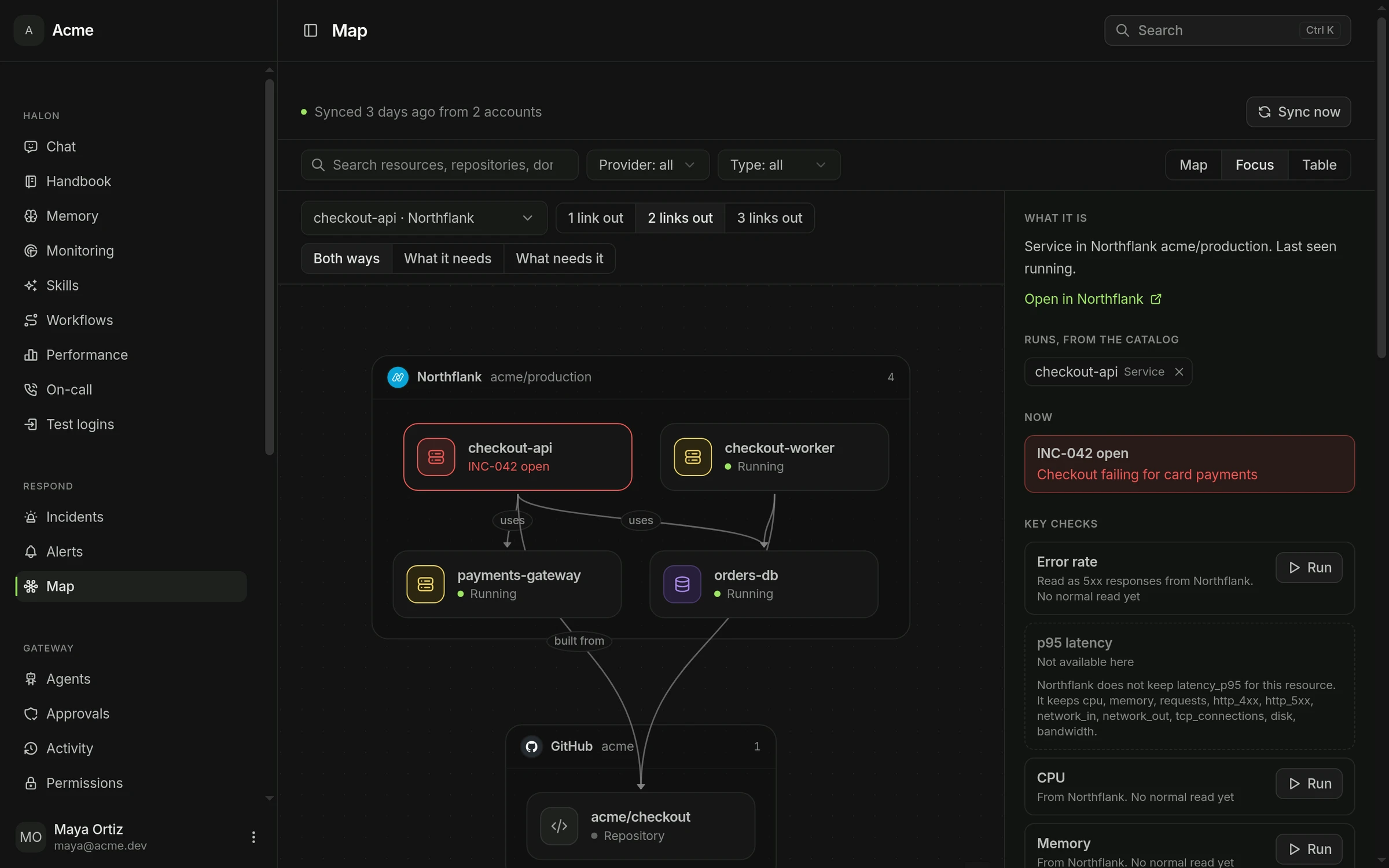
Focus on any resource to see what it depends on and what would stop if it failed.
Each resource has the checks worth running first, compared with its usual week.
Firefight learns what a resource normally logs, so a new line stands out during an incident.
Deploys, status changes and scaling are kept as changes, and any of them can start a workflow.
Find any resource, service or team in one search.
Halon begins every investigation from what the incident's services run on.
Connect your cloud and your code, and the map draws itself.
Sign in with Slack14 days free, cancel whenever you like. Or run it on your own servers.