
Make
Start in seconds. Pick one from the library, or tell Halon what you want and when. It shows you every step before it builds it.
- Workflow library
- Made from a chat
- Export and import
Turn the steps your team repeats into workflows that run on a schedule, on an alert, or with one click. Draw them on a canvas, or just ask Halon.
14 days free, then $99 a month per workspace. Nobody on the team needs a seat.
Every workflow is drawn as its steps, so anyone can see what it will do before it runs.
Make
Build
Run
See what each step reads or changes. Edits stay in a draft until published.
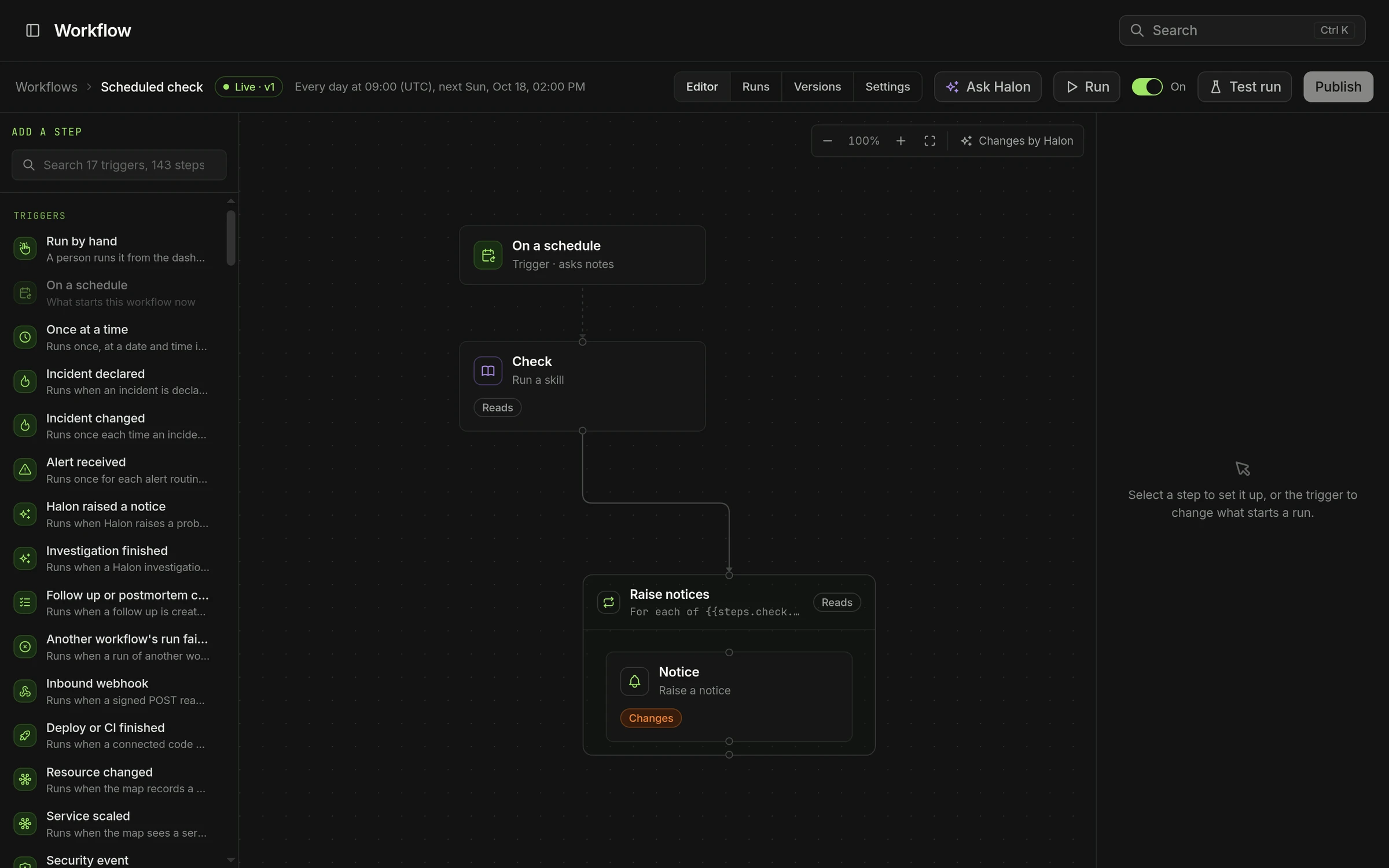
On a schedule, an alert, an incident, a deploy or a change on the map.
Narrow it to the incidents you care about, and a storm can't start a flood of runs.
A workflow can do only what an admin granted it, and every call is recorded.
Wait for an approval, ask someone a question, or hand off a task.
Run a script or call any public API when the built-in steps aren't enough.
Read status, restart a service, open an issue, anything your integrations can do.
Start from the library or ask Halon. Nothing runs until an admin publishes it.
Sign in with Slack14 days free, cancel whenever you like. Or run it on your own servers.